
Main Page: Difference between revisions
Head Manager (talk | contribs) No edit summary |
Head Manager (talk | contribs) No edit summary |
||
| Line 1: | Line 1: | ||
< | <div class="fablab-intro"> | ||
Welcome to the FabLab wiki. Below you will find the fabrication technologies available in the lab. Select a technology to view its equipment, training requirements, safety information, and operating procedures. | |||
</div> | |||
<div class="fablab-grid"> | |||
{{TechnologyCard | |||
|title=3D Printing | |||
|page=Machines:3D Printing | |||
|image=bambulabx1c.jpg | |||
|description=Explore our filament and resin 3D printers, available materials, slicing software, training requirements, and printing procedures. | |||
}} | |||
{{TechnologyCard | |||
|title=3D Scanning | |||
|page=Machines:3D Scanning | |||
|image=3D-scanning.jpg | |||
|description=Digitize physical objects and convert them into detailed three-dimensional models for inspection, modification, or reproduction. | |||
}} | |||
{{TechnologyCard | |||
|title=Laser Cutting and Engraving | |||
|page=Machines:Laser Cutting | |||
|image=Laser-cutting.jpg | |||
|description=Cut and engrave approved sheets of wood, acrylic, cardboard, and other materials using the FabLab's laser cutters. | |||
}} | |||
{{TechnologyCard | |||
|title=Print and Cut | |||
|page=Machines:Print and Cut | |||
|image=Print-and-cut.jpg | |||
|description=Create stickers, signs, posters, banners, window lettering, and heat-transfer graphics for textiles. | |||
}} | |||
{{TechnologyCard | |||
|title=UV Printing | |||
|page=Machines:UV Printing | |||
|image=UV-printing.jpg | |||
|description=Print full-colour graphics directly onto acrylic, wood, metal, glass, ceramic, and other compatible surfaces. | |||
}} | |||
{{TechnologyCard | |||
|title=CNC Milling | |||
|page=Machines:CNC Milling | |||
|image=CNC-milling.jpg | |||
|description=Machine parts and prototypes from wood, plastic, foam, and other approved stock materials. | |||
}} | |||
{{TechnologyCard | |||
|title=PCB Milling | |||
|page=Machines:PCB Milling | |||
|image=PCB-milling.jpg | |||
|description=Rapidly prototype custom printed circuit boards using the FabLab's desktop PCB milling equipment. | |||
}} | |||
{{TechnologyCard | |||
|title=Electronics | |||
|page=Machines:Electronics | |||
|image=Electronics-bench.jpg | |||
|description=Use soldering stations, oscilloscopes, power supplies, multimeters, and prototyping tools for electronics projects. | |||
}} | |||
</div> | |||
Revision as of 13:49, 18 July 2026
Welcome to the FabLab wiki. Below you will find the fabrication technologies available in the lab. Select a technology to view its equipment, training requirements, safety information, and operating procedures.
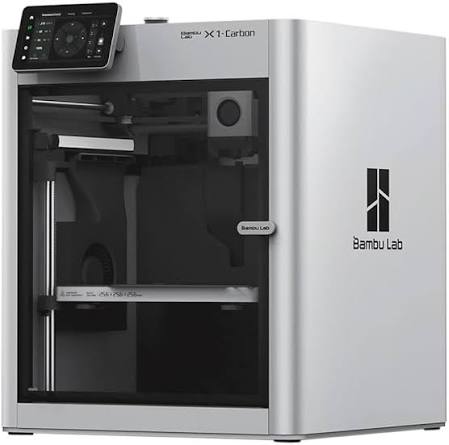
Explore our filament and resin 3D printers, available materials, slicing software, training requirements, and printing procedures.

Digitize physical objects and convert them into detailed three-dimensional models for inspection, modification, or reproduction.

Cut and engrave approved sheets of wood, acrylic, cardboard, and other materials using the FabLab's laser cutters.

Create stickers, signs, posters, banners, window lettering, and heat-transfer graphics for textiles.

Print full-colour graphics directly onto acrylic, wood, metal, glass, ceramic, and other compatible surfaces.

Machine parts and prototypes from wood, plastic, foam, and other approved stock materials.

Rapidly prototype custom printed circuit boards using the FabLab's desktop PCB milling equipment.

Use soldering stations, oscilloscopes, power supplies, multimeters, and prototyping tools for electronics projects.